
 Typing Mill
How do you learn touch typing?
Short answerRest eight fingers on the home row (A S D F and J K L ;), give every key to one finger, and practise short sessions without looking at the keyboard. Go slowly enough to be accurate; speed follows once the key positions are automatic.
Touch typing means typing by feel: each finger knows its keys, and your eyes stay on the text. It is a motor skill, learned the same way as a scale on a piano, by slow, correct repetition.
Where do your fingers go?
On the home row. Left hand on A S D F, right hand on J K L ;, thumbs on the space bar. The F and J keys have a small raised bump so your index fingers can find them without looking. After every keystroke the finger returns home.
From there each finger owns a diagonal column of keys on a standard QWERTY keyboard:
| Finger | Left hand | Right hand |
|---|---|---|
| Little | Q A Z, plus Shift and Tab | P ; /, plus Shift, Enter and Backspace |
| Ring | W S X | O L . |
| Middle | E D C | I K , |
| Index | R F V and T G B | U J M and Y H N |
| Thumb | Space | Space |
The index fingers do double duty with two columns each. Capital letters use the Shift key on the opposite hand: right Shift for a capital A, left Shift for a capital L.
Why should you not look at the keyboard?
Because looking is the habit that touch typing replaces. While your eyes find keys, your fingers never have to learn where they are. Looking at the screen instead does two things: your fingers build the position memory, and you see mistakes as you make them.
It will feel slower than your old method for the first week or two. That dip is normal; you are replacing a fast bad habit with a slow good one.
Should you practise for speed or for accuracy?
Accuracy first. A wrong keystroke costs at least three: the error, the backspace and the correction. It also rehearses the wrong movement. Type at the pace where you make almost no mistakes, and let that pace rise by itself.
A workable rule: if you are below roughly 95% correct, slow down.
How long should you practise?
Short and often beats long and rare. Ten to twenty minutes a day does more than two hours on a Sunday, because motor memory is consolidated between sessions, not during them. Stop when your accuracy falls; tired practice teaches tired habits.
A simple progression:
- Home row only. Words like sad, lads, flask, salad until you never look down.
- Add the top row, then the bottom row, a few keys at a time.
- Real words and sentences, including capitals and punctuation.
- Your own material: emails, code, whatever you actually type.
Do you have to use all ten fingers?
It helps, but it is not the whole story. A 2016 study from Aalto University recorded 30 typists with motion capture and found that self-taught people using fewer fingers could be as fast as trained touch typists. What fast typists had in common was something else: they used the same finger for the same key every time, kept their hands still, and did not look down. A later Aalto study of 168,000 volunteers found that fast typists also made fewer errors and often pressed the next key before releasing the previous one.
So the goal is consistency. The standard ten-finger map is the easiest consistent mapping to learn, because it is the one keyboards are designed around.
Does posture matter?
Yes, for comfort over hours rather than for speed. Keep your wrists straight rather than bent up, your elbows at roughly a right angle, and the screen at eye height so you are not tempted to look down. Take your hands off the keyboard when you stop to think.
Where does Typing Mill fit?
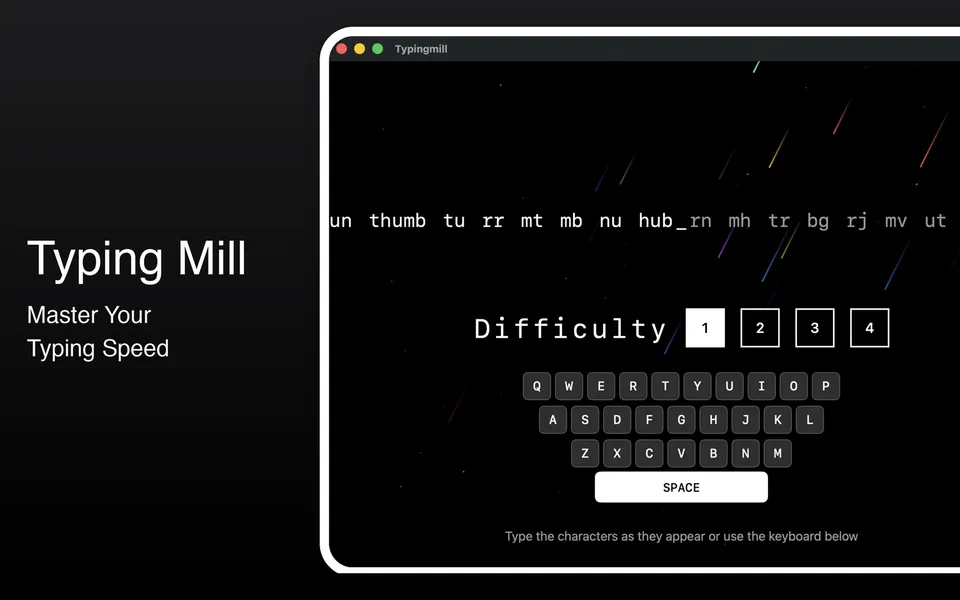
Typing Mill is a typing practice app for iPhone, iPad and Mac. It gives you text to type across four difficulty levels, from beginner to expert, in an animated interface, with the keyboard shown on screen. It works offline and has no account. Use level one while you learn the positions and move up when you can type a level without looking down.
Related: how typing speed is measured in words per minute.
Frequently asked questions
How long does it take to learn touch typing?
Most people learn the key positions in a few weeks of short daily practice. Getting faster than your old hunt-and-peck speed usually takes a little longer.
Which keys are the home row keys?
A, S, D and F for the left hand and J, K, L and semicolon for the right, with both thumbs on the space bar.
Why do F and J have bumps?
So your index fingers can find the home row by touch and the other fingers fall into place beside them.
Sources
- Feit, Weir and Oulasvirta, "How We Type: Movement Strategies and Performance in Everyday Typing", CHI 2016: userinterfaces.aalto.fi/how-we-type
- Dhakal, Feit, Kristensson and Oulasvirta, "Observations on Typing from 136 Million Keystrokes", CHI 2018: userinterfaces.aalto.fi/136Mkeystrokes