
 Typing Mill
Should you practise typing with drills or by typing freely?
Short answerBoth, for different jobs. Drill a new key on its own until your finger finds it without looking, then move it into real words and sentences as soon as you can, because skilled typing works on familiar words, not single letters. Practise at a pace you can hold at about 95% accuracy, in short daily sessions, and use free typing to find the keys that still slow you down.
Typing practice comes in three shapes: drills of a few keys (fjfj jffj), graded levels of words and sentences with a target, and free typing with no target at all. They are not rival methods. Each trains a different part of the skill, and the useful question is which one you need right now.
What is each kind of practice for?
| Practice | What it trains | Where it falls short |
|---|---|---|
| Key drills | Where a new key is, and which finger takes it | Too narrow to build fluency; strings of two or three letters are not what you will type |
| Pronounceable made-up words | Moving between the keys you know, before there are enough of them for real words | Still not real text |
| Real words | Common words and letter pairs typed as one movement | Short words alone skip the spaces and rhythm of sentences |
| Phrases and sentences | Spaces, rhythm, and reading ahead while typing | Hides individual weak keys inside a decent overall speed |
| Free typing | Endurance, and a realistic picture of where you are | Repeats your errors unless you watch the accuracy figure |
A good course moves through these in order for each new group of keys, then comes back to drills for the keys that free typing shows are still weak.
Why do drills come first for a new key?
Because a key position is learned by making the same movement many times with nothing else competing for attention. A drill of only F and J, or only D and K, asks one question per keystroke: which finger. Mirrored pairs on the two hands are a common starting point because the same finger of each hand is learning the same reach.
Move on when you can type the drill without looking down and without hesitating, not after a set number of repetitions. A drill you can already do is no longer teaching you anything.
Why move to real words as soon as you can?
Because skilled typing is not a chain of single letters. In laboratory studies reviewed by Timothy Salthouse, skilled typists typed random letter strings markedly slower than normal text, and their eyes ran several characters ahead of their fingers; when the text ahead was hidden, they slowed down. Familiar words and letter pairs are prepared as units, which is something drills cannot train.
The large Aalto University study of 168,000 volunteers points the same way: the fastest typists often pressed the next key before releasing the previous one, overlapping movements across a word. That overlap only develops on text you will actually type.
So the moment a new key can be found without looking, put it into words, then into sentences.
How fast should you go?
At the edge of accuracy: the fastest pace at which you still make almost no mistakes, about 95% correct or better. Below that, slow down. An error costs more than the keystroke: the backspace, the correction, and one more repetition of the wrong movement.
One way to hold yourself to this is to set a goal for speed and a separate goal for accuracy, and count a session only by the weaker of the two. A fast, sloppy run then earns nothing extra, and a slow, perfect one tells you it is time to push.
How long and how often should you practise?
Short and often. In a classic study, Alan Baddeley and D. J. A. Longman trained postal workers to type on a new keyboard on four schedules: one or two sessions a day, each one or two hours long. The group that practised one hour once a day needed the fewest hours of training to reach a given speed. The more intensive schedules finished in fewer days, but each hour of practice taught less.
For most people this means ten to twenty minutes a day, every day, rather than a long session at the weekend. Stop when your accuracy starts to fall; tired practice rehearses tired mistakes.
How do you use free typing well?
Free typing is where you find out what the drills have not fixed yet. Three habits make it useful:
- Watch accuracy, not only speed. If accuracy drops below about 95%, slow down even if no one is timing you.
- Note the keys you miss. The same few keys usually account for most errors: often the bottom row and the little-finger keys. Take them back to a short drill.
- Limit the keys while you are still learning them. Typing real words made only of the keys you know keeps free typing from turning into hunting for the keys you do not.
What does a balanced session look like?
A plan that follows the points above, for fifteen minutes a day:
- Two or three minutes of drills on the newest keys, or on yesterday's missed keys.
- Eight to ten minutes of graded levels: words, then phrases, with a speed and an accuracy goal.
- A few minutes of free typing at the end, to see your real speed and pick tomorrow's drill.
Once all the letters are learned, the drills shrink to a warm-up and most of the time goes to sentences and to text you actually write.
Where does Typing Mill fit?
Typing Mill: Type Tutor is a typing game for iPhone, iPad and Mac built around this split. Each of its three worlds has a campaign and a Zen mode.
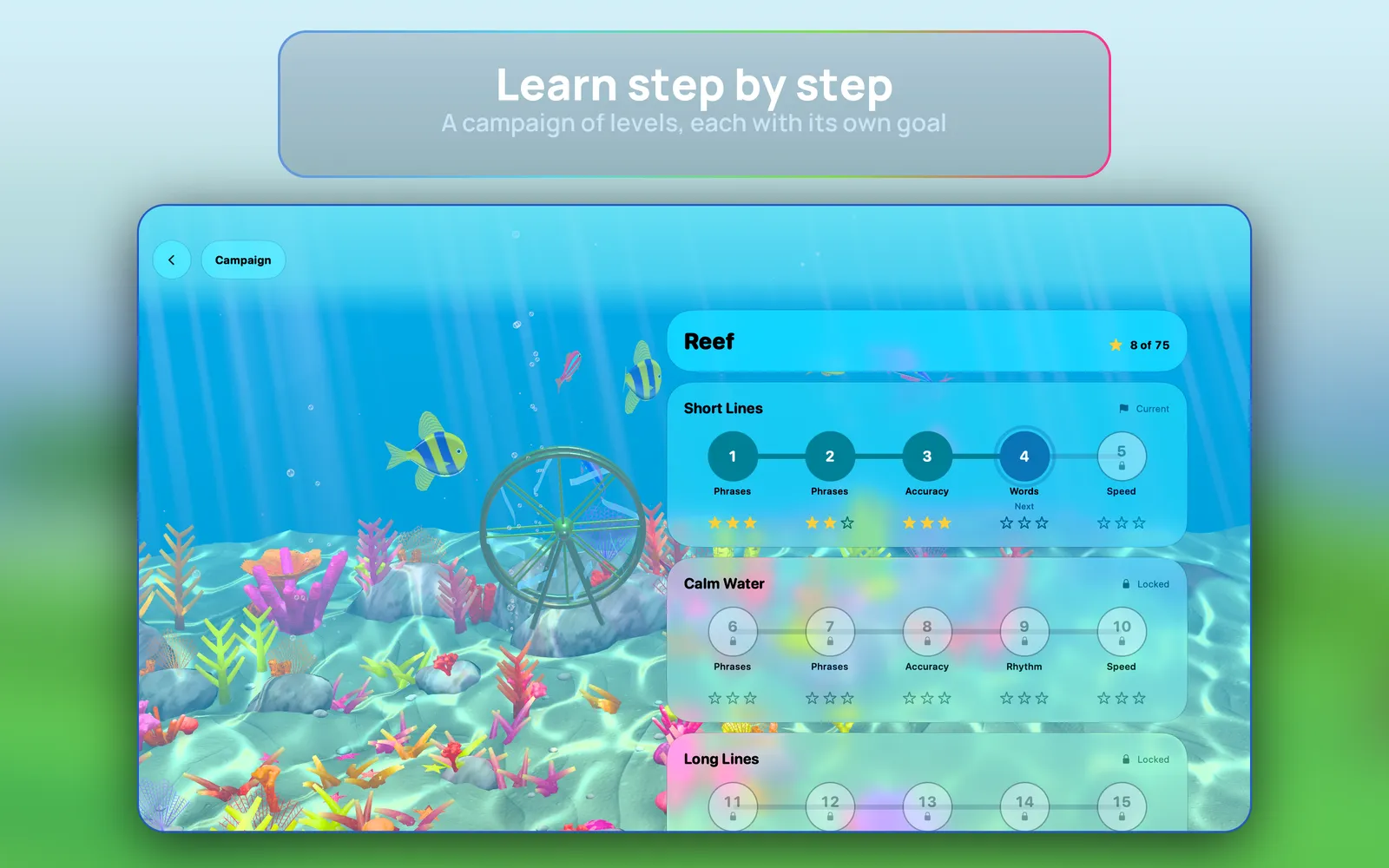
The campaign is the structured part: 80 levels in 16 chapters across the worlds. The Lagoon's chapters teach the keyboard in the order above: two-key drills starting with F and J, made-up words from the keys learned so far, then real words and a speed level at the end of each chapter, until every letter is in. The Sky's and the Reef's campaigns are real words, phrases, rhythm and longer sentences. Every level has a speed goal and an accuracy goal and earns up to three stars, the smaller of what the speed and the accuracy reach. The result lists the keys you missed, with a button to practise them.
Zen is the free part: real English words keep coming, with WPM and accuracy shown as you type and your best speed kept. Its four difficulties limit the words to the index fingers' keys, then add the middle, ring and little fingers' keys in turn, so you can type freely before you know every key. On the on-screen keyboard, a pair of hands shows which finger presses the next key.
Typing Mill practises lower-case English words and sentences. It works offline and has no account.
Related: how to learn touch typing and how typing speed is measured.
Frequently asked questions
Is free typing enough to learn touch typing?
Not at the start. Without drills, free typing turns into looking for keys, which is the habit touch typing replaces. Once you know every key's position, free typing on real text becomes the main practice.
Are made-up words useful?
Early on, yes. With only six or eight keys learned there are few real words to type, and pronounceable combinations of those keys train the movements between them. Switch to real words as soon as the keys you know allow it.
How long should a typing drill be?
Until you can type it without looking and without hesitating, then stop. A minute or two per new key pair is usually enough in one session; come back to it the next day rather than repeating it longer.
Should I practise every day?
If you can, yes. Short daily sessions teach more per hour of practice than the same total time in a few long ones.
Sources
- Baddeley and Longman, "The Influence of Length and Frequency of Training Session on the Rate of Learning to Type", Ergonomics 21(8), 1978: doi.org/10.1080/00140137808931764
- Salthouse, "Perceptual, Cognitive, and Motoric Aspects of Transcription Typing", Psychological Bulletin 99(3), 1986: doi.org/10.1037/0033-2909.99.3.303
- Dhakal, Feit, Kristensson and Oulasvirta, "Observations on Typing from 136 Million Keystrokes", CHI 2018: userinterfaces.aalto.fi/136Mkeystrokes